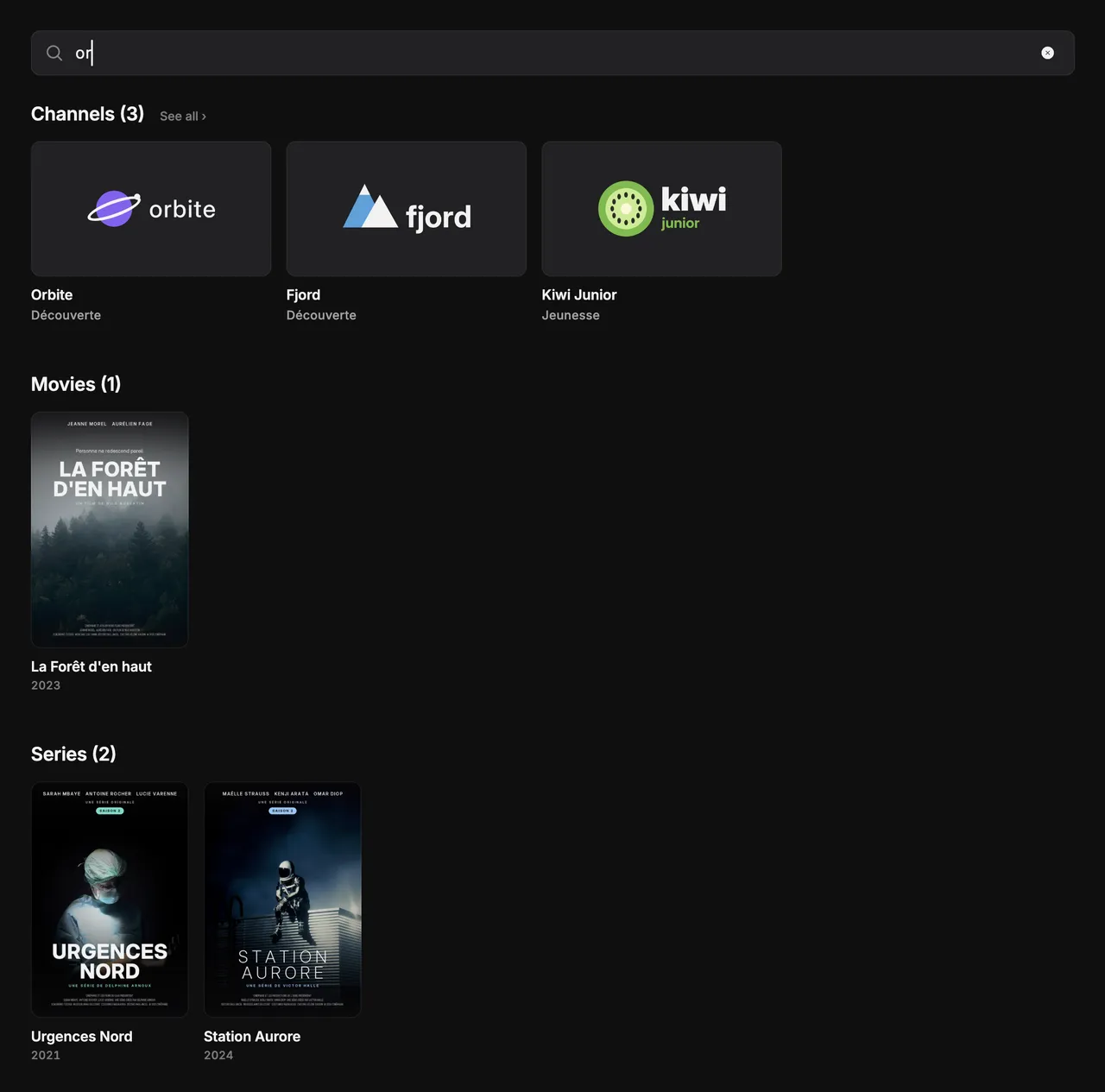























IPTV PLAYER FOR MAC: Zap. Browse. Cast.

All your channels, movies and series in one app, laid out like TV. Zap with a single key, pick up where you left off, send the picture to your TV.

Coming soon for macOS

Zapette plays the sources you add and provides none.

Plug in your sources.

A playlist, an account or a portal you have the right to use: add it once and Zapette handles the rest.

  • M3U playlist

    Paste a link or pick a file.

  • Xtream Codes account

    Your channels, movies and series, ready in seconds.

  • Stalker portal

    All it takes is its address.

  1. Add a source
  2. Browse and zap
  3. Watch here or on the big screen

Live TV

Zap just like on TV.

All your channels on a single page, with what’s on right now. One arrow for the next one, ⌘ + D to keep your favorites close.
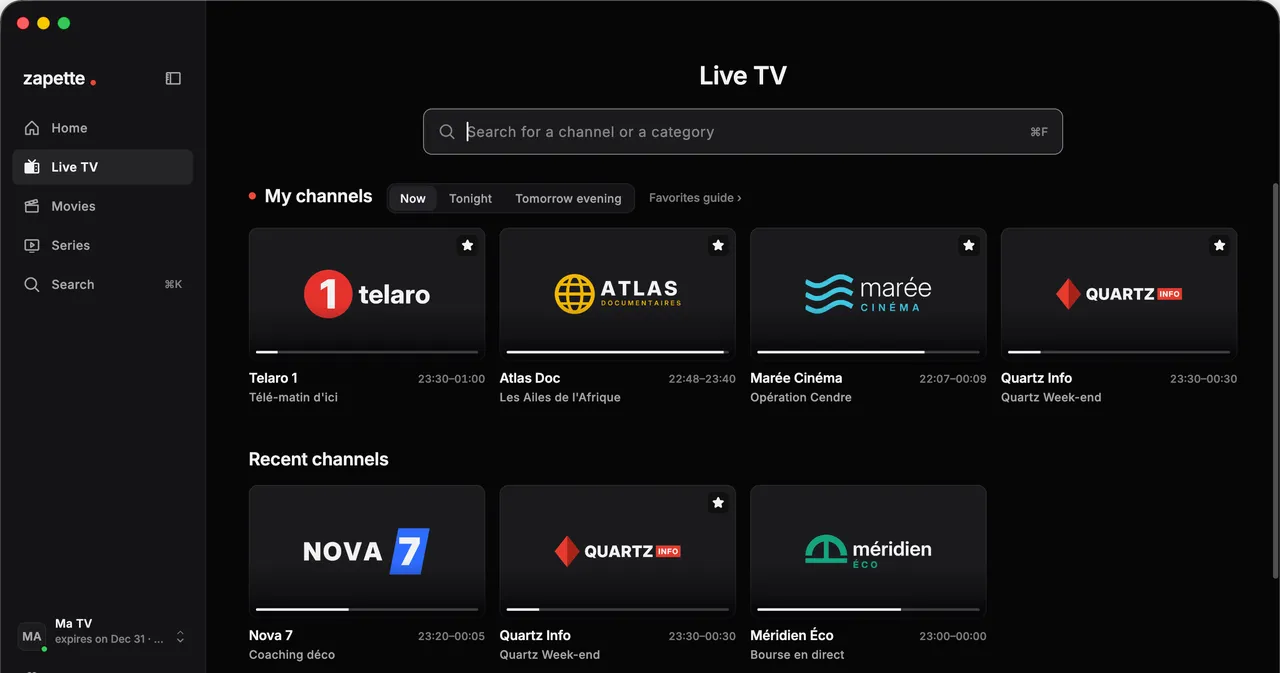
Zapette live TV page: a large centered search field, a My channels row showing each channel’s current program and its progress, then a Recent channels row.

TV guide

What are we watching tonight?

The schedule of all your channels in one clear grid. See at a glance what’s on now and what’s coming next, then start the show in one click.
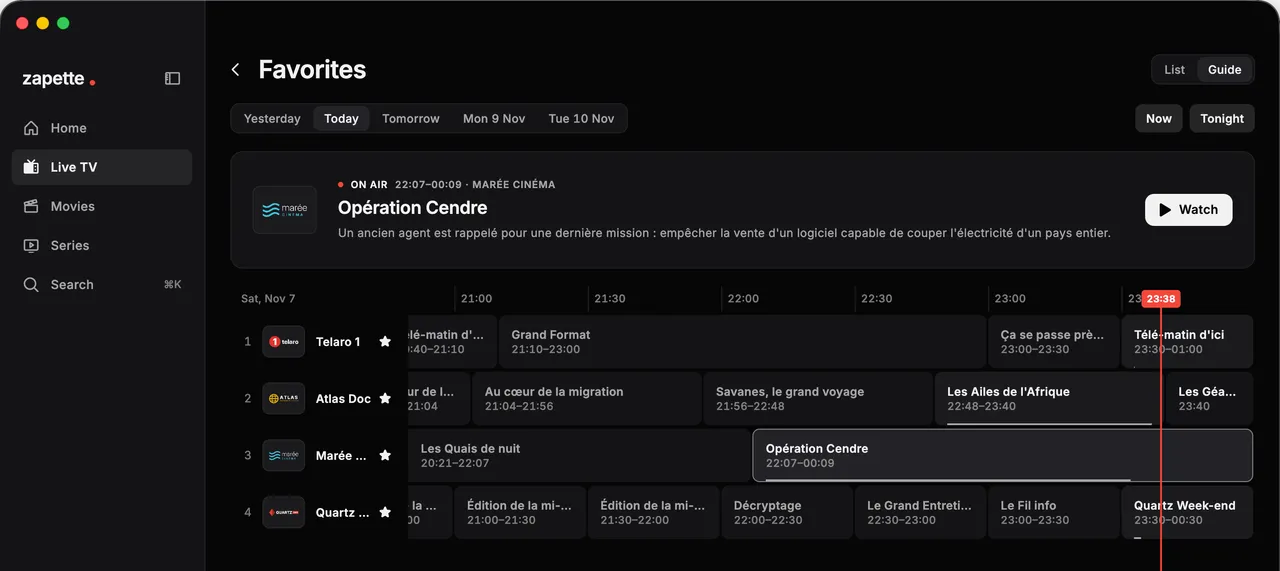
Zapette program guide as a time grid for four fictional channels: a vertical red marker shows the current time, below a program card with a Watch button.

Movies and series

Movies and series, right where you left them.

Posters, summaries, seasons and episodes. Show the latest additions, the top rated or the newest releases first, and pick up season 2, episode 4 to the minute.
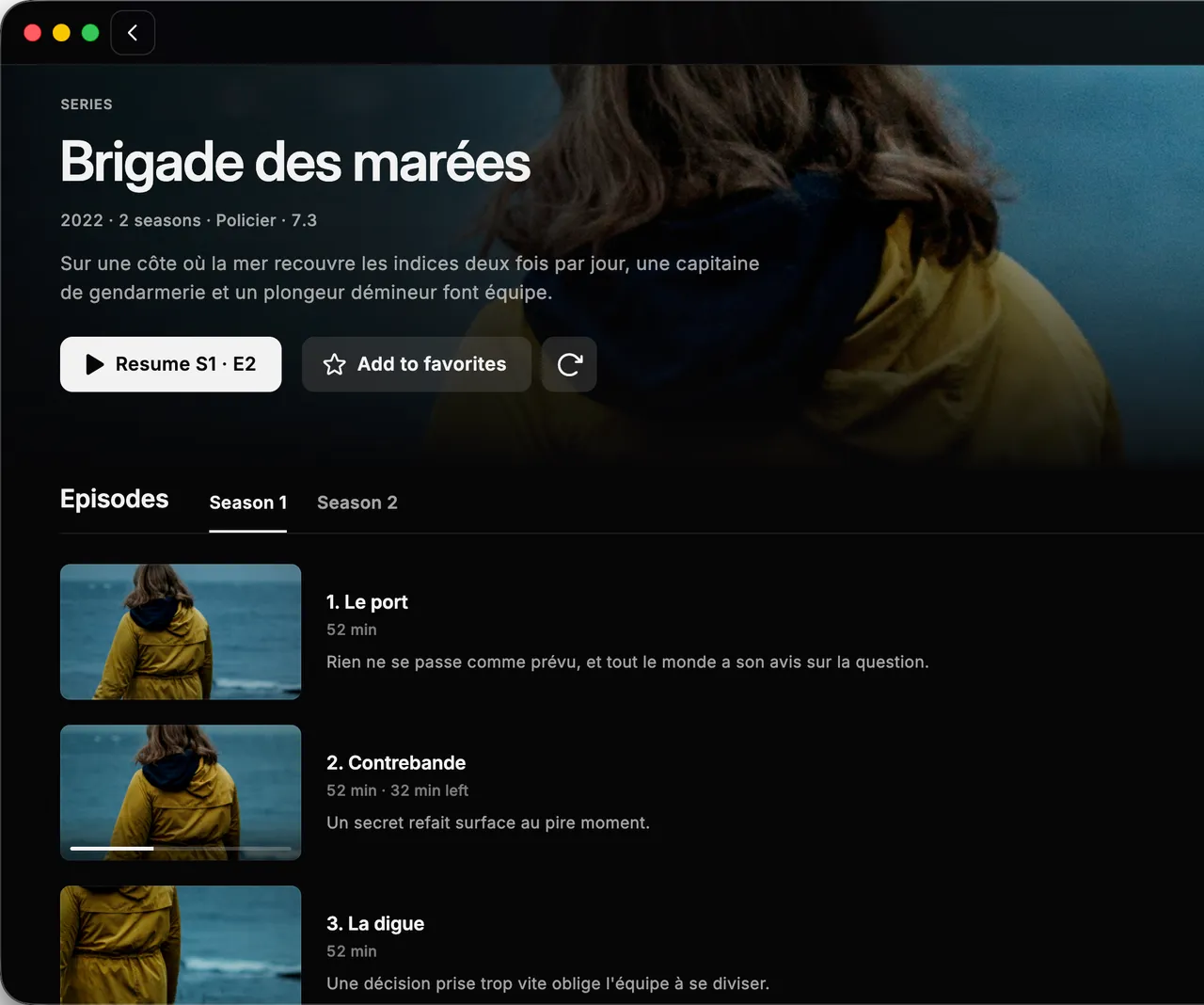
Detail page of the fictional series Brigade des marées: title, Resume S1 · E2 button and an episode list showing the progress of episode 2.
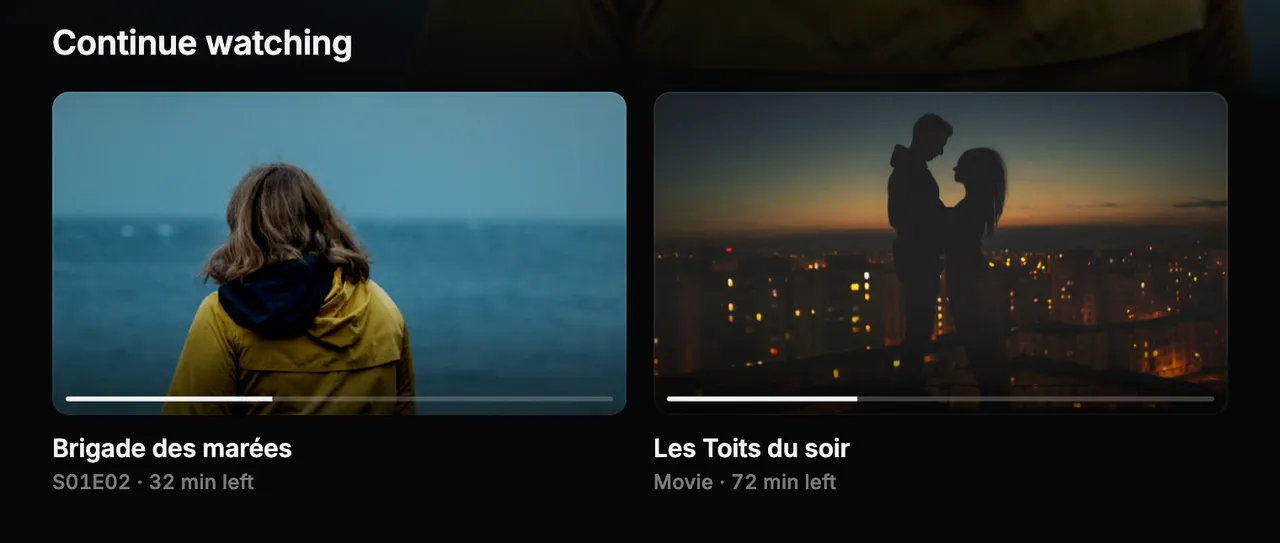
Continue watching row of the home screen: two cards with their progress bars

Resume playback

  • Resume to the minute, episode by episode
  • Recently added, top rated, newest, A to Z
  • A page for every movie and series

Player

A player that does what you want.

Pick the language and subtitles, adjust the speed or the picture format, go full screen. If a live channel cuts out, Zapette restarts it on its own. And everything works from the keyboard.
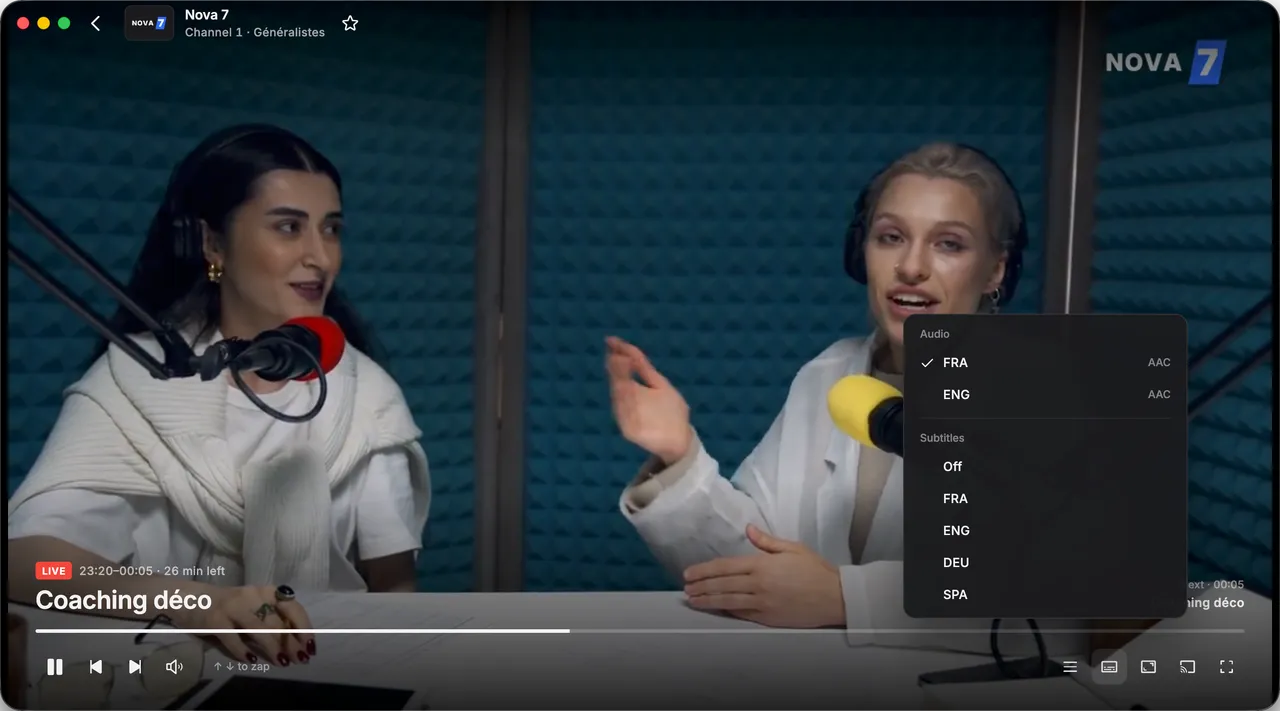
Zapette player on a live channel, with the audio and subtitles panel open on the right and the control bar along the bottom of the window.
  • Space pause
  • ←→ −10 s / +30 s
  • ↑↓ previous / next channel
  • F full screen
  • M mute
  • L list
  • Esc back

Chromecast and AirPlay

From your screen to your TV.

Send the picture to a Chromecast or an AirPlay device in one click. Your Mac becomes the remote: pause, skip, next channel. And when you stop, pick up on your computer right where the TV left off.

Local data

Your data stays with you.

Favorites, history, resume points, hidden categories and parental code stay on your device. No account is needed. Zapette connects to the addresses you give it (sources, guides), to the cast devices you choose and to its publisher’s servers (zapette-iptv.app), for technical information not tied to your name. Today, that is the check for a new version: normally one request a day, the server sees your IP address and that the request comes from Zapette on a Mac, no identifier is sent, and you can turn it off in Settings.

And also.

  • Several sources together in one app

  • Favorites everywhere: channels, movies and series

  • “Continue watching” right on the home screen

  • Your latest channels, always within reach

  • Parental code and hidden categories

  • A search that doesn’t trip over accents

  • Keyboard shortcuts everywhere

  • In English and French

Good to know.

Zapette is a player: it doesn’t include, suggest or recommend any source or content. You are solely responsible for your sources: only use content you have the right to access where you are.

Found a problem? Write to us.
If you believe a use of Zapette infringes your rights, write to contact@zapette-iptv.app: we reply within 5 business days.
Your data stays with you.
No account is needed. Zapette contacts your sources, your guides and your cast devices, as well as its publisher’s servers for technical information not tied to your name (today: the check for a new version, which can be turned off in Settings).
Third-party components.
Zapette uses FFmpeg, libmpv and other components under their own licenses: Licenses and credits.

Frequently asked questions.

What is an IPTV player?

An app that plays TV and video delivered over the internet. You give it a source — an M3U playlist, an Xtream Codes account or a Stalker portal — and it shows that source’s channels, guide and videos. Zapette plays the sources you add and provides none.

What do I need to use Zapette?

A source you have the right to use: an M3U playlist, an Xtream account or a Stalker portal.

Does Zapette come with channels? Is it legal?

No: Zapette is a player. It doesn’t contain, sell or recommend any channel, movie, series or playlist, and we can’t point you to a source. A player is a neutral tool, like any video player: whether a use is legal depends on the sources you add and the rights attached to their content. This answer is not legal advice.

Who is responsible for my sources?

You are. Zapette plays what you add; we neither see nor control your sources.

What if a use infringes my rights?

Zapette hosts no content: report content to whoever hosts or broadcasts it. For a use of the software or of this site, write to contact@zapette-iptv.app with your identity and capacity, the rights concerned, the item concerned and a precise description. We acknowledge receipt within 5 business days and reply.

Is it free?

Yes.

What do I need to cast to my TV?

A Chromecast or an AirPlay device on the same network as your Mac. While casting, keep the Mac on and Zapette open: it’s the one sending the picture.

Which systems does Zapette run on?

Zapette is being developed for macOS; it isn’t available yet. Soon: Windows, Linux, Android and iOS, no dates.

Does Zapette collect my data?

No account is needed. The app connects to the addresses you configure (your sources and guides, which therefore receive your IP address), to the cast devices on your network and to its publisher’s servers (zapette-iptv.app) for technical information not tied to your name. Today, that is the check for a new version: normally one request a day, the server sees your IP address and that the request comes from Zapette on a Mac, no identifier is sent, and you can turn it off in Settings › About. The site’s server keeps technical access logs: see Privacy.

Something went wrong: is there a log?

Yes: Settings › About › Show log. Stream addresses and passwords are removed from it.

What’s next. No dates, no promises.

Coming soon

Windows · Linux · Android · iOS

In progress

  • See what’s on a channel right from the search

Next

  • Arrange your favorite channels in the order you like
  • Several accounts, each with its own favorites and history

Later

  • Replay: catch up on shows that already aired
  • Download movies and episodes to watch offline
  • More settings to make the app your own

Your turn to zap.

Coming soon for macOS